



Removal the rear display
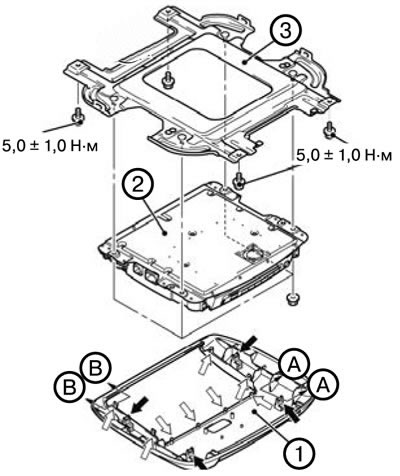
1. Remove the rear display bezel (1).
2. Remove the rear monitor (2).
3. Remove the bracket (3).
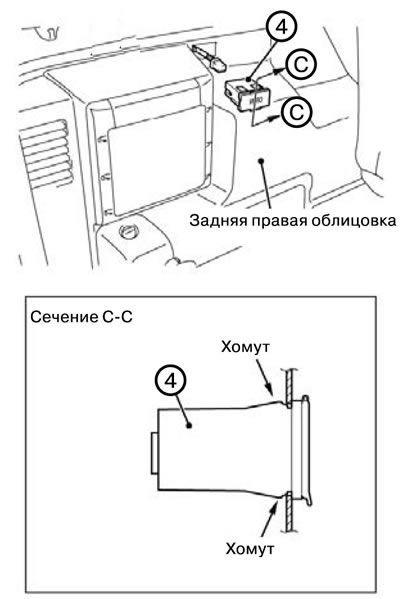
4. Remove the audio and video adapter (4).
Installing the rear display
Note: When installing, tighten the bolts to the tightening torques shown in the figure.
1. Install the audio and video adapter (4).
2. Install the bracket (3).
3. Install the rear monitor (2).
4. Install the rear display bezel (1).