



On-board computer (optional)
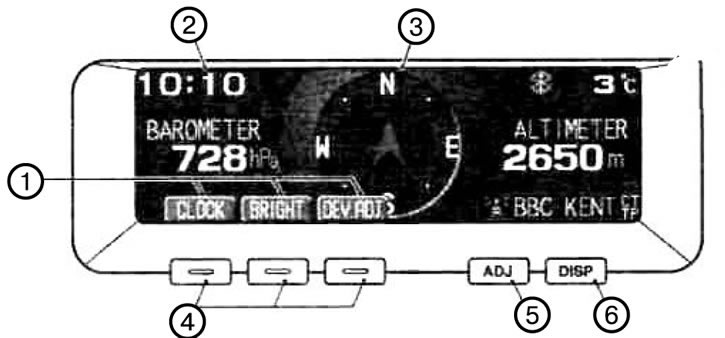
1. Displaying function keys (This mode displays the options available using the function keys). 2. Electronic clock. 3. Electronic compass (Shows the direction of the vehicle's movement). 4. Function buttons (To select the options shown on the display, press the corresponding keys). 5. ADJ button (Pressing this button adjusts the brightness, sets the displayed date and time, and selects the RDS message language). 6. DISP button (Pressing this button selects the displayed parameter).
Note: Before operating the system for a long time, make sure the vehicle is in a well-ventilated area to avoid accumulation of toxic gases in and around the vehicle.
Attention:
- The driver must not operate the display while driving.
- Before working on the system, stop the vehicle in a safe place. When you turn the ignition key to the ACC position, the display turns on automatically.