



Contents: Air temperature outside the car ⤓ Electronic clock ⤓ Instantaneous fuel consumption ⤓ Average fuel consumption ⤓ Vehicle range ⤓ Average speed ⤓ Adjusting display brightness ⤓ Selecting units of measurement shown…⤓
When the ignition key is in the ACC position, the temperature readings are displayed on the central display
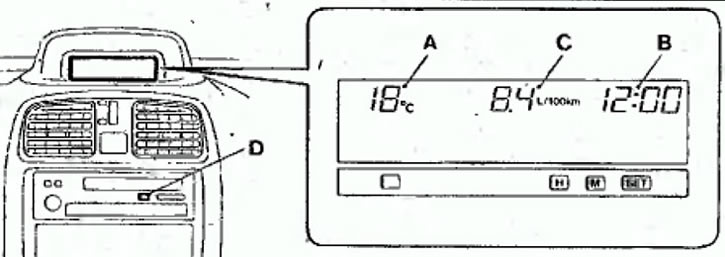
A Air temperature outside the car
In Electronic clock
C Average fuel consumption (on vehicles with MITSUBISHI audio system installed: instantaneous fuel consumption, average fuel consumption, average speed and vehicle range)
D "DISP" switch ("Display", on vehicles with a genuine MITSUBISHI audio system) outside air and the current time. When the ignition key is in the ON position, in addition to these readings, the display also shows the average fuel consumption.
On vehicles equipped with a MITSUBISHI audio system, the average fuel consumption, average speed and vehicle range are also displayed.
Notes
- (1) The brightness of the display and the unit of measurement (kilometers or miles) can be set as desired.
- (2) If the system is unable to estimate a certain speed and fuel consumption value, "---" is displayed on the screen.
- (3) The display values change depending on the road conditions (road conditions, driving style, etc.). The display values are used as reference values because they may differ from the actual values.
Air temperature outside the car
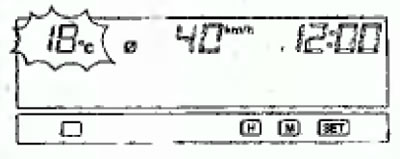
These figures show the air temperature outside the car. If the temperature drops below 3°C, a warning signal sounds and the temperature readings on the display flash for 5 seconds.
Note
- (1) The range of outdoor temperature measurements is from -30°C to +70°C.
- (2) If the ambient temperature is outside the measurement range (below -30°C or above +70°C), the display will show the symbols (-E°C or +E°C)
Electronic clock
Setting the current time is done by pressing the buttons according to the following scheme:
- 1. Setting the clock.
- 2. Setting the minutes.
- 3. Resetting the minutes to zero
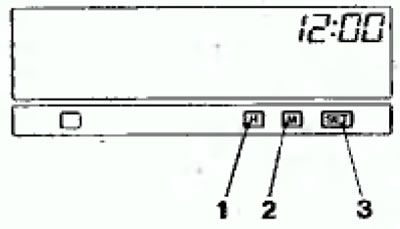
For example
- 10:30-11:29 Resets to 11:00
- 11:30-12:29 Resets to 12:00
Note: When disconnecting the wires from the battery terminals, you must set the current time after connecting the wires.
Instantaneous fuel consumption
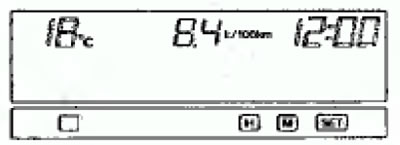
The display shows the current fuel consumption values.
Notes
- (1) When the vehicle is parked with the engine idling, the "---" symbol appears on the display.
- (2) Current fuel consumption varies depending on vehicle driving conditions (road conditions, driving style, etc.) These readings are used as reference values as they may differ from actual values.
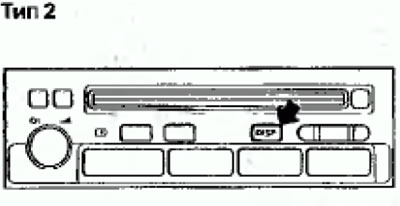
On vehicles with a MITSUBISHI audio system, when the DISP button on the audio system is pressed, in addition to the instantaneous fuel consumption, the average fuel consumption, vehicle range, and average speed can also be displayed on the display. When the ignition key is in the ON position, the display sequentially displays the four characteristics (instantaneous fuel consumption, average fuel consumption, vehicle range, average speed), and then the display screen returns to the standard state that was before the ignition key was last turned to the OFF position.
Note: If you press the DISP button during the mode change process as described above, the mode change process will stop and the display will show the value that was on the display before the ignition key was last turned to the OFF position.
Selecting the display mode (only for vehicles with genuine Mitsubishi audio system)
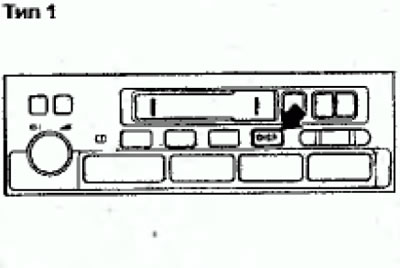
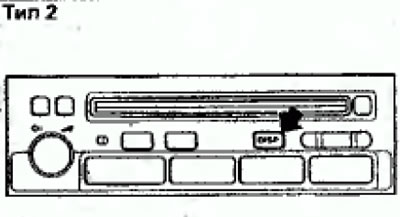
On vehicles with a Mitsubishi audio system installed, each time the DISP button is pressed lightly (less than 2 seconds), the display mode changes in the following sequence:
Instantaneous fuel consumption -> Average fuel consumption -> The vehicle's range is -> Average speed of the car.
Average fuel consumption
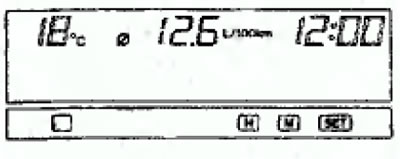
The display shows the average fuel consumption (L/100 km [liters/100 km] or mpg [miles per gallon]) since the last reset. If you want to start measuring again, reset the display, and it will show the average fuel consumption since that time.
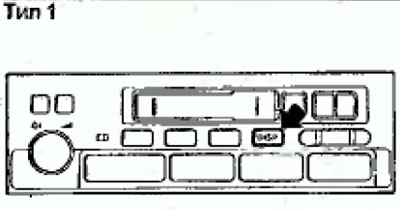
To return the display to its original state, press and hold the DISР button for at least 2 seconds.
Notes
- (1) When the vehicle is parked with the engine idling, the display shows the symbol "---"
- (2) Average fuel consumption varies depending on vehicle driving conditions (road conditions, driving style, etc.). These readings are used as reference values as they may differ from actual values.
Vehicle range
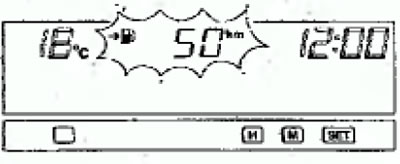
The display shows the range, i.e. the distance (in km or miles) that the car can travel on the fuel remaining in the tank.
Notes
- When the display shows the vehicle's range, if the range is less than 50 km (30 miles), a warning signal sounds and the display starts to flash. In this case, refuel the vehicle as soon as possible. Even if the display currently shows a value other than the range, when the range decreases to 50 km, 25 km and 10 km (or 30, 15 and 6 miles), a warning signal sounds and the range is displayed for 5 seconds. Then the display returns to the current value.
- The driving range may vary depending on road conditions, driving style and other interrelated factors. Therefore, the display readings can only be used as a reference, and therefore refuel the vehicle as soon as possible.
Average speed
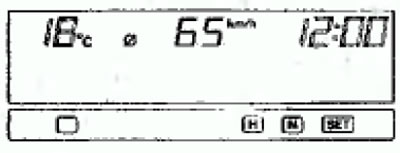
The display shows the average speed of the vehicle. This value shows the average speed of the vehicle (in km/h or mph) since the last reset of the display. If desired, you can measure the average speed from any intermediate point in time and the current trip.
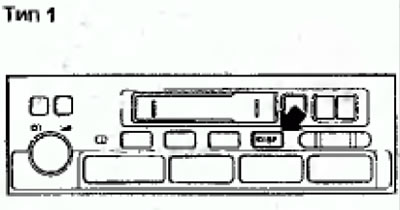
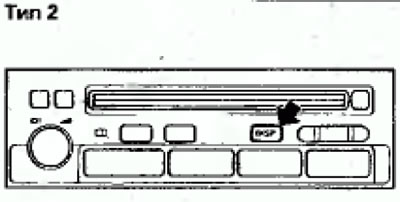
To reset the display, press and hold the DISP button for more than 2 seconds.
Adjusting display brightness
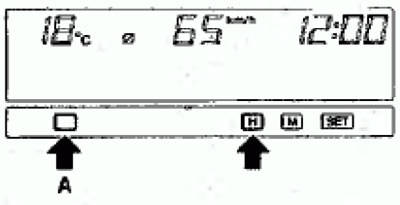
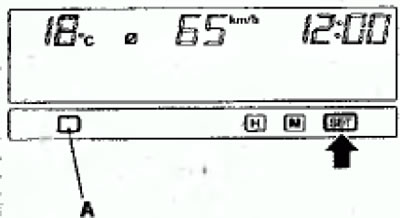
1. To turn on the display brightness adjustment function, while pressing button (A), simultaneously press button H.
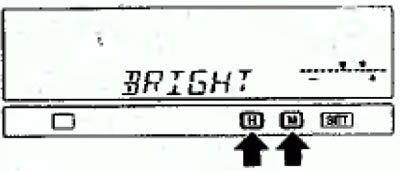
H - decrease brightness; M - increase brightness
2. To adjust the brightness, press the H or M time setting buttons and move the cursor on the display.
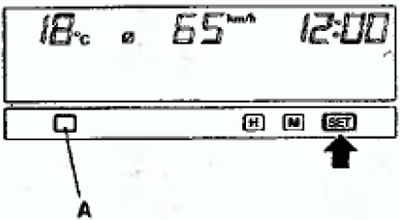
3. To fix the adjusted brightness level, press the SET button, and the display will return to its original state.
Notes
- (1) To exit the brightness adjustment mode before it is completed, press the (A) button
- (2) During the adjustment process, if the SET button is not pressed for more than 15 seconds, the current brightness level will be set automatically. Then the display will return to the original state.
Selecting units of measurement shown on the display
Initially, the units of measurement for speed and fuel consumption for the display readings are km/h and l/100, respectively. To select the unit of measurement mile, follow these steps:
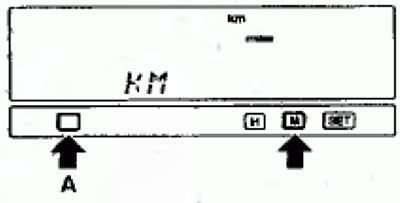
1. To activate the unit selection mode, hold down the (A) button and press the time setting button M. The display will show the currently selected unit of measurement.
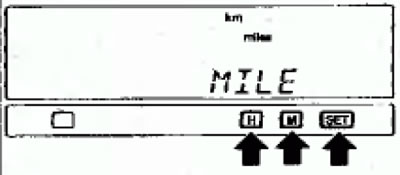
H - Kilometers; M - Miles
2. To change the unit of speed measurement, use the H (kilometers) or M (miles) buttons to set the time, and then press the SET button to fix the setting.
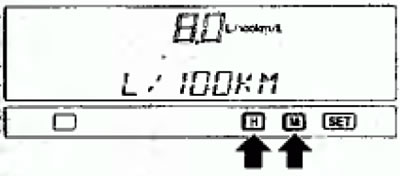
H - Liters/100 km.; M - Kilometers/Liter
3. If the unit of measurement was selected as "kilometer", then it is necessary to select the unit of measurement of fuel consumption by continuously pressing the button H or M. The current unit of measurement will appear on the display. To select the unit of measurement of fuel consumption, use the buttons H (liters/100 km) or M and then press the SET button to fix and set.
4. After finishing the settings, press the SET button, and the display will return to its original state.
Notes
- (1) On vehicles without a genuine Mitsubishi audio system, you can replace km with miles or vice versa only in the average fuel consumption readings.
- (2) If you selected M (mile) in item 2, the fuel consumption will be automatically shown in mpg (miles per gallon)
- (3) To exit the unit selection mode before it is finished, press the button (A)
- (4) During the procedure for selecting units of measurement, the display does not show the outside air temperature and time.
- (5) If the SET button is not pressed for more than 15 seconds during the process of selecting units of measurement, the selected units of measurement will be set automatically and the display will return to its original state.