



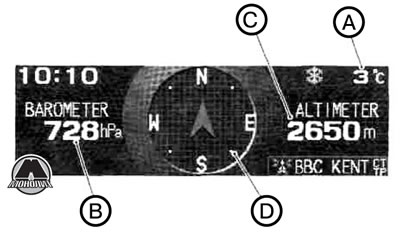
The climate data window displays: outside air temperature (A), barometer (B), altimeter (C) and electronic compass (D).
Outside air temperature
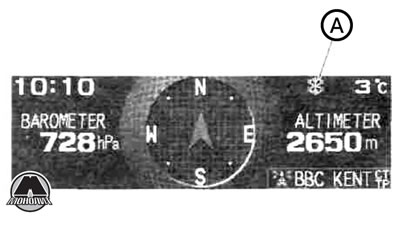
While the vehicle is moving, the outside air temperature is displayed.
If the air temperature falls below approximately 3°C, a warning signal sounds and the warning symbol (A) flashes on the display for approximately 10 seconds.
Caution: In these conditions, even if this symbol does not flash, there is a risk of black ice, so you should drive carefully.
Even if other parameters are displayed on the display (not climatic), the outside temperature is displayed in the upper right corner of the screen.
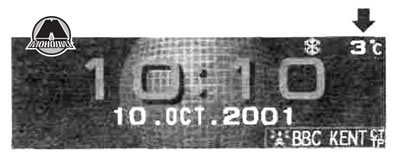
Note:
- The outside air temperature display range is from - 40° to +50°C.
- Due to the influence of driving conditions, surrounding conditions, etc., the displayed temperature may differ from the actual temperature.
Changing units of measurement
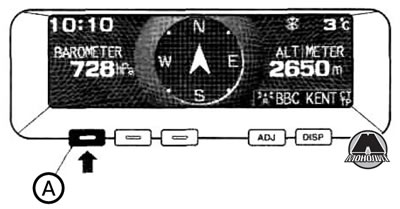
To change from Celsius to Fahrenheit and back, press the (A) button in the climate data display mode and hold it for more than 3 seconds.
Barometer
Shows the atmospheric pressure at the location of the vehicle.
Note: The accuracy of the barometer readings is about 2 GhPa.
(The text of the article was taken from the website: «www.mitsubishiman.ru»)
Altimeter
Shows the altitude above sea level at the location of the vehicle.
Note:
- The accuracy of the altimeter readings is about 50 m.
- If the altitude above sea level is low, the altimeter shows 0 m.
- The principle of operation of the altimeter is based on changes in atmospheric pressure. This means that its performance is affected by changes in weather and other conditions, and its readings may differ from the actual altitude.
- Fluctuations in atmospheric pressure can cause readings to change even if the vehicle is stationary. This is not a sign of a system malfunction.
Changing units of measurement
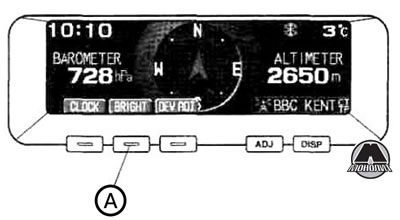
To convert the altimeter units from meters to feet and vice versa, press the (A) button in the climate data display mode and hold it for more than 3 seconds.